
Project Overview
Pardin CRM is a real estate customer relationship management platform designed to help agents and property managers track leads, manage inventory, monitor performance, and make faster business decisions from a single dashboard.
This project focused on designing a data-driven, scalable dashboard system that balances clarity, usability, and real-world real estate workflows.
The Problem
Real estate professionals often struggle with:
Scattered lead information
Poor visibility into pipeline performance
Manual follow-ups and missed opportunities
Dashboards that feel cluttered or overly technical
Existing tools either overload users with data or fail to surface what truly matters on a daily basis.
Project Goals
Provide a clear, at-a-glance overview of business performance
Help agents prioritize leads and follow-ups efficiently
Visualize sales, revenue, and pipeline health
Design a scalable system that supports multiple sub-pages
Ensure the interface feels modern, intuitive, and trustworthy
My Role
Product & UI/UX Designer
Dashboard layout & information architecture
Visual design system
UX decisions for data prioritization
Design Strategy
1. Information Hierarchy First
The dashboard was structured to answer key user questions instantly:
What needs my attention today?
How is the business performing?
Where are my hottest opportunities?
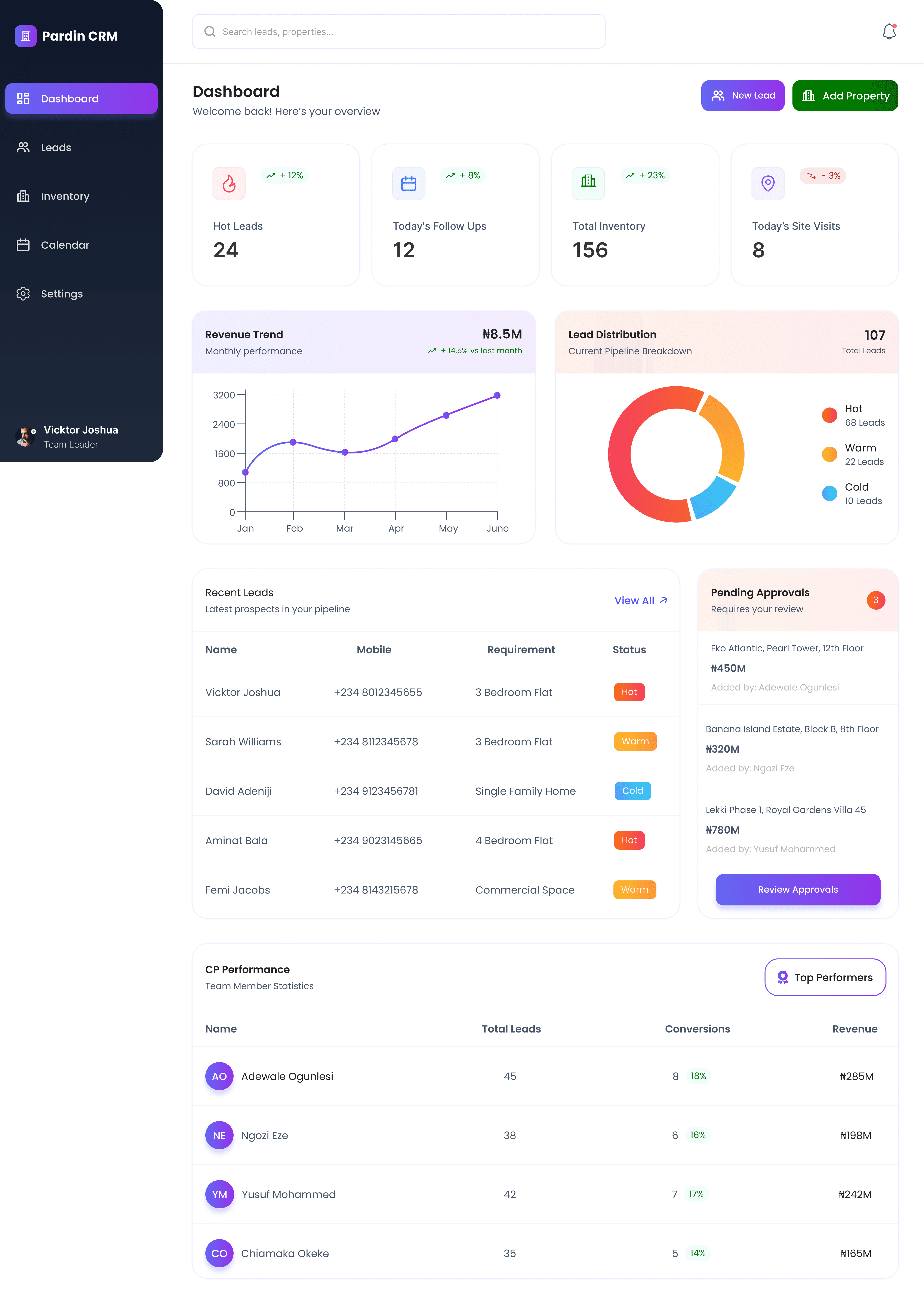
High-priority metrics (Hot Leads, Follow-ups, Inventory, Site Visits) are placed at the top for immediate visibility.

Clear Visual Structure
Card-based layout for scannability
Consistent spacing to reduce cognitive load
Clear separation between insights, tables, and charts
Minimal distractions to keep focus on data
This allows users to scan the dashboard in seconds.
3. Data Visualization for Decision Making
Revenue Trend Chart highlights monthly performance and growth
Lead Distribution Chart clearly shows hot, warm, and cold leads
Visual indicators (+/- percentages) provide quick performance context

"Charts were kept simple to support clarity over decoration."
4. Action-Oriented Design
The dashboard isn’t just informative — it’s actionable:
“New Lead” and “Add Property” CTAs are always visible
Recent Leads table enables quick follow-ups
Pending Approvals surface items requiring immediate attention
This ensures users can act without navigating away unnecessarily.
Sub-Pages & System Scalability
Beyond the main dashboard, the system includes:
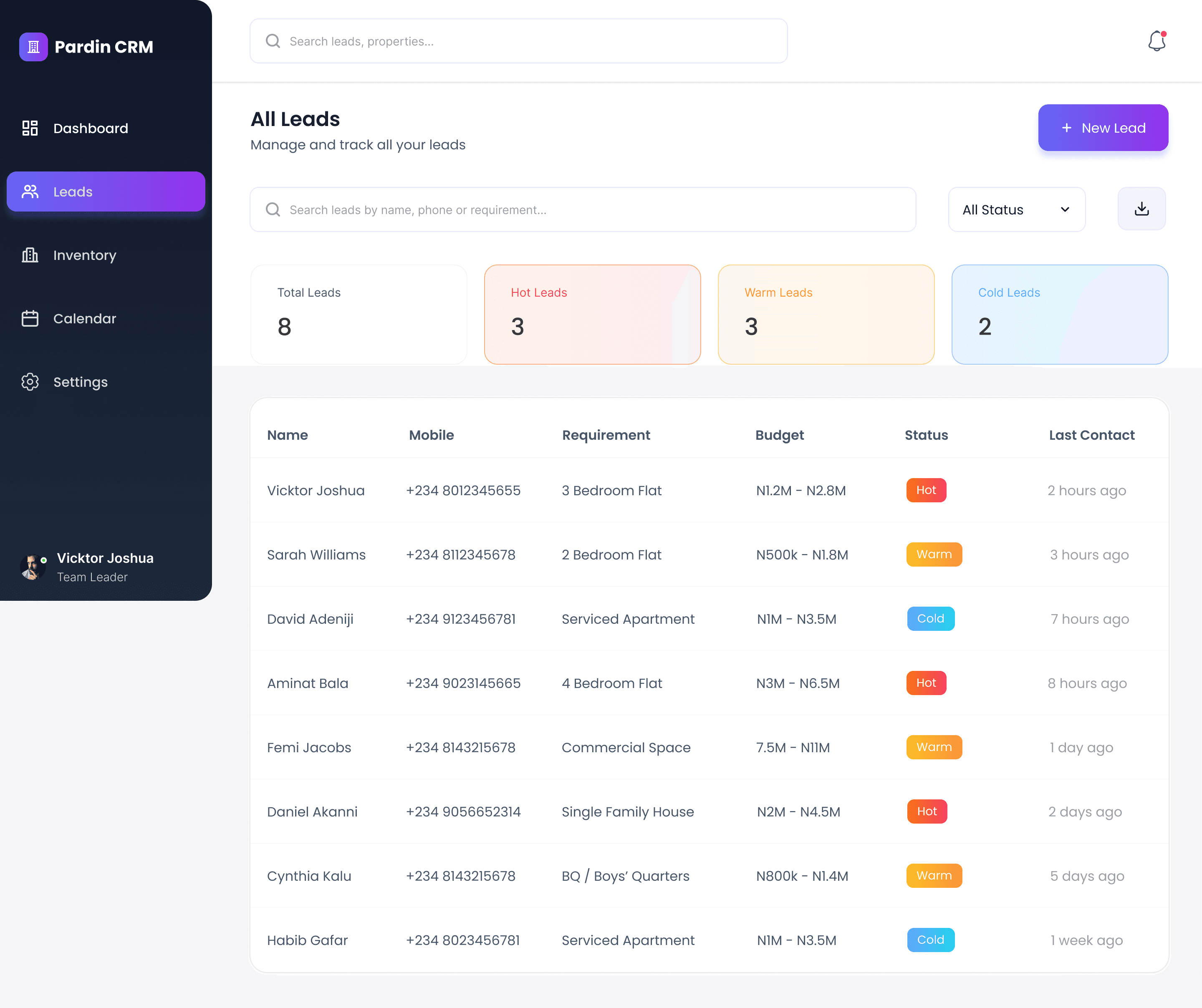
Leads management
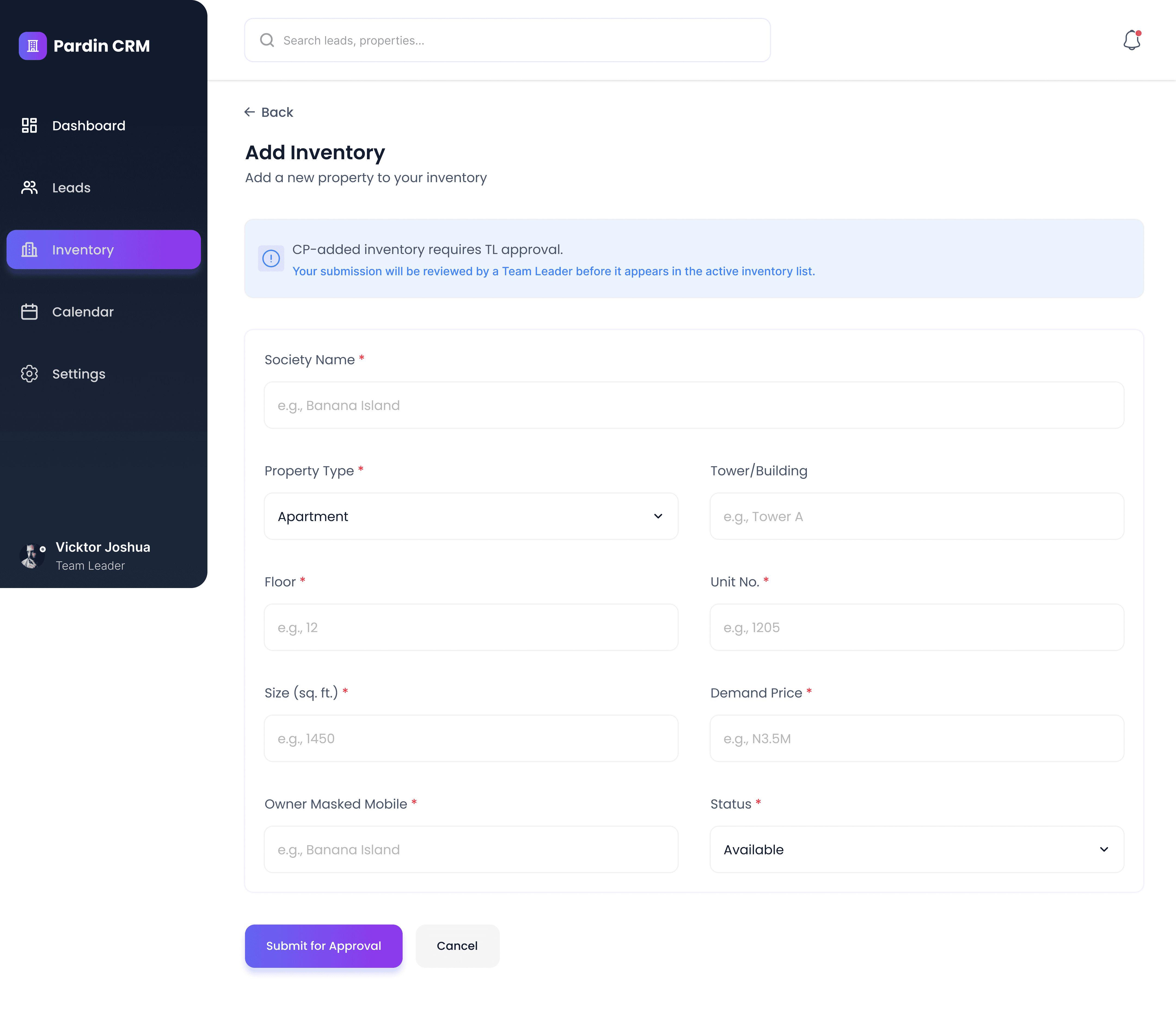
Property inventory
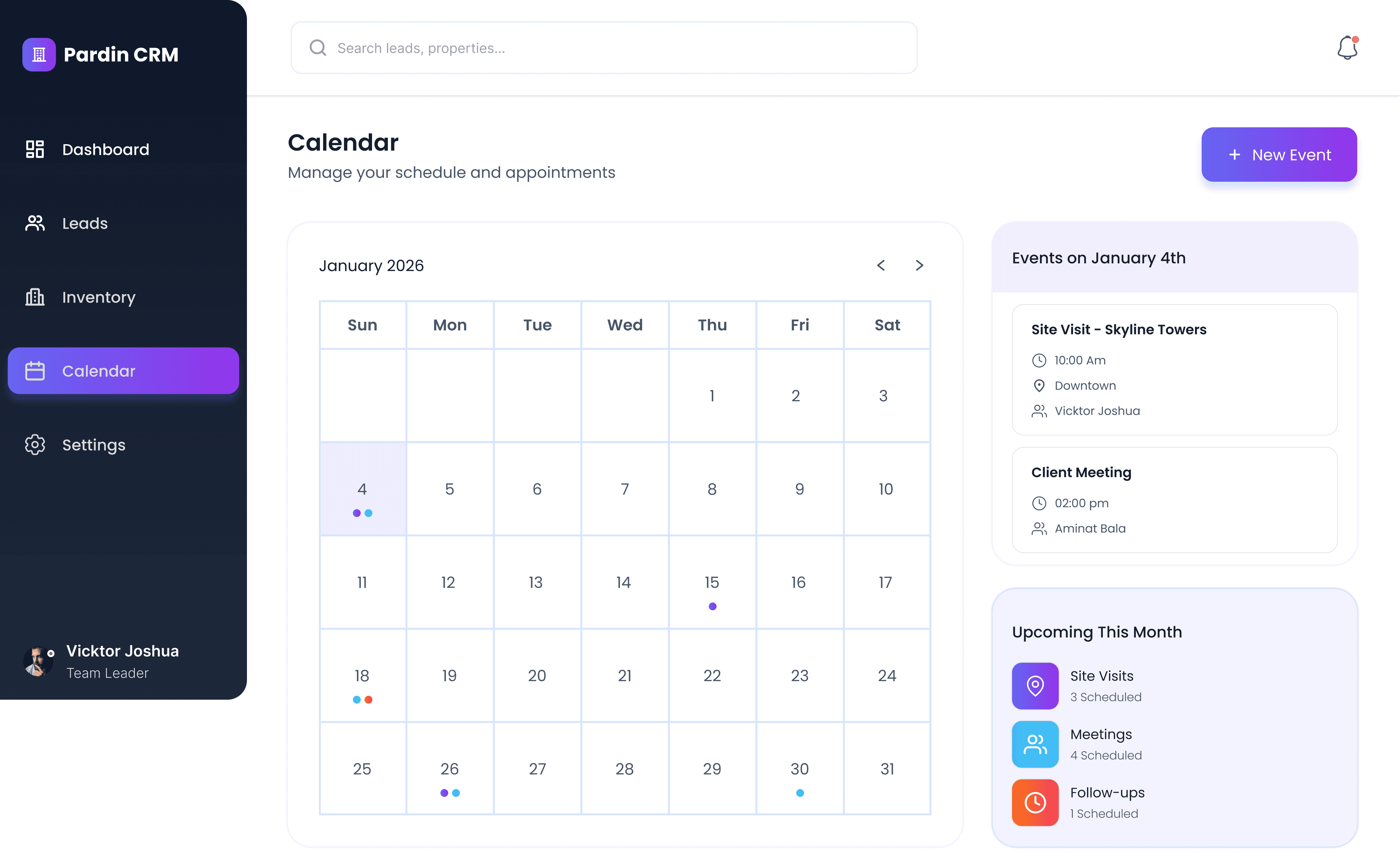
Calendar & follow-ups
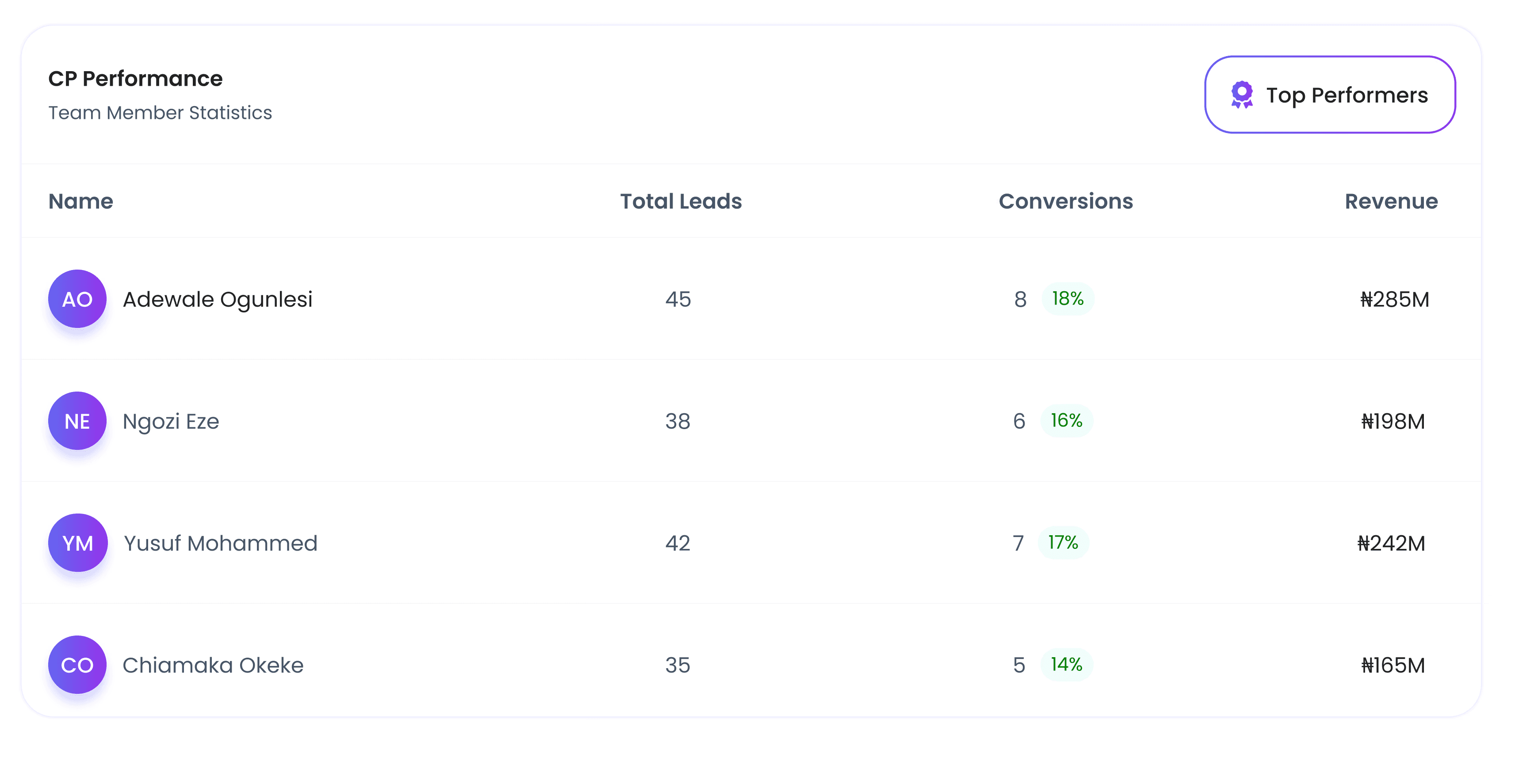
Team performance tracking
Settings & account management
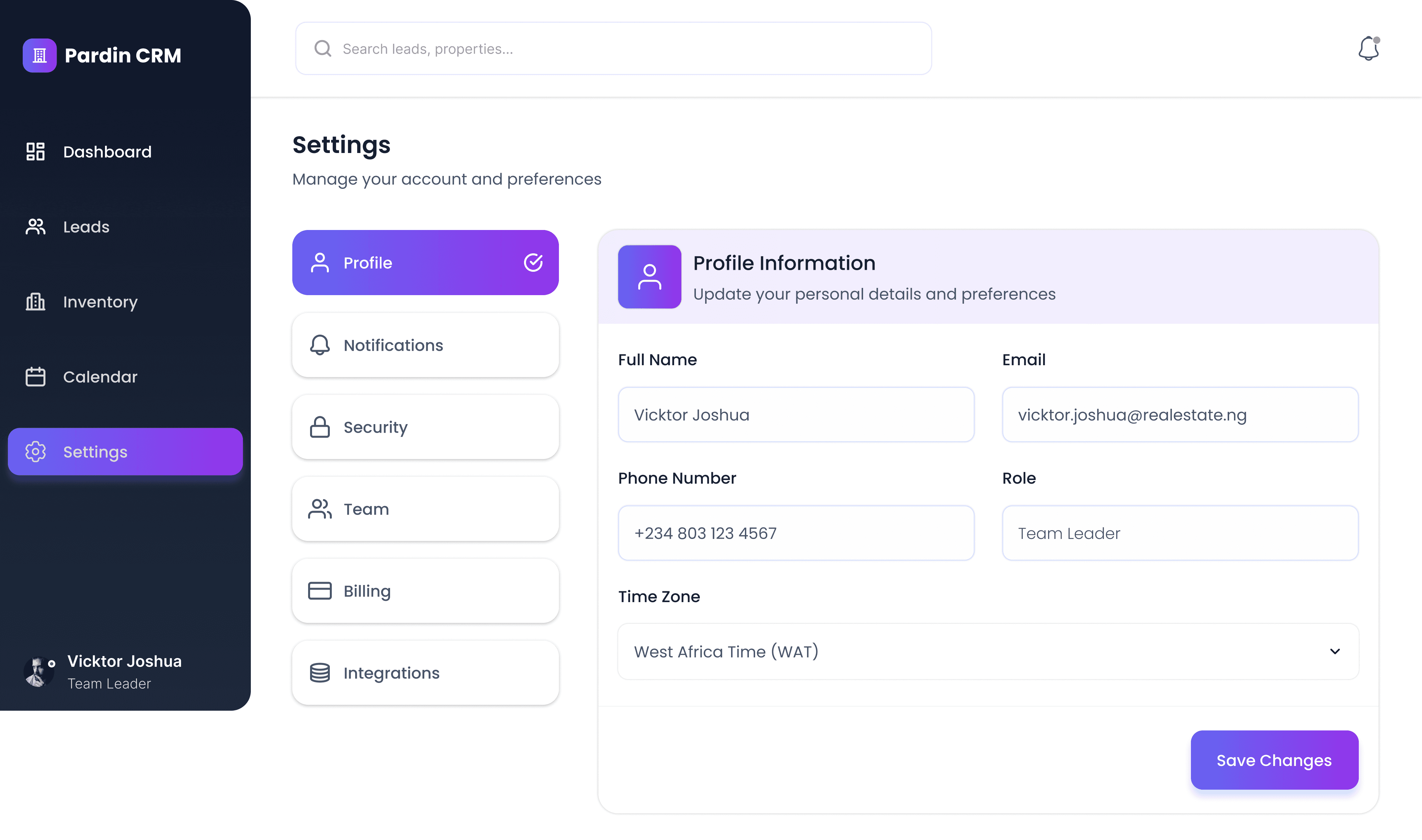
All sub-pages follow the same:
Layout structure
Typography scale
Colour system
Component patterns
This consistency supports scalability and ease of use.
Visual Design Decisions
Typography
Clean sans-serif for readability
Clear hierarchy between headings, metrics, and table data
Colour System
Purple as the primary brand colour for trust and clarity
Status colours (Hot, Warm, Cold) used consistently for quick recognition
Soft neutrals to keep focus on data
UI Components
Rounded cards for approachability
Subtle shadows for depth
Clear iconography to support scanning
Responsiveness
The dashboard was designed with responsiveness in mind:
Desktop: wide layout for data-dense views
Mobile: stacked cards, simplified tables, tap-friendly CTAs
This ensures usability across devices commonly used by real estate teams.
Outcome
The final design delivers:
A clear overview of real estate operations
Faster decision-making through visual hierarchy
Reduced cognitive load for daily tasks
A scalable CRM system that supports growth

"The dashboard balances data, usability, and action, making it practical for real-world use."
Key Learnings
Dashboards should prioritize decisions, not data volume
Strong hierarchy improves speed and confidence
Action-driven UI increases productivity
Consistency across sub-pages is critical for scalability
Why This Matters to Employers
This project demonstrates my ability to:
Design complex, data-driven interfaces
Think beyond visuals into real business workflows
Create scalable UI systems
Balance aesthetics with usability and clarity
