
Overview
Chuks Kitchen is a mobile-first food ordering platform designed to simplify how customers browse menus and place orders digitally. The project focused on creating a seamless ordering experience that reduces manual communication and improves customer convenience.

Problem
Customers relied on WhatsApp chats and phone calls to order meals. This led to:
• Confusing menu browsing
• Slow ordering process
• Frequent order mistakes
• No structured user journey
The business needed a digital solution that was simple and efficient.
Goal
Design a user-friendly food ordering experience that:
• Enables quick and easy ordering
• Reduces customer confusion
• Works smoothly on mobile devices
• Reflects a friendly and modern brand identity.
Users
The product was designed for:
Busy Professionals
Need fast and stress-free meal ordering.
Students
Prefer simple mobile interfaces with clear pricing.
Families
Need easy cart management for larger orders.
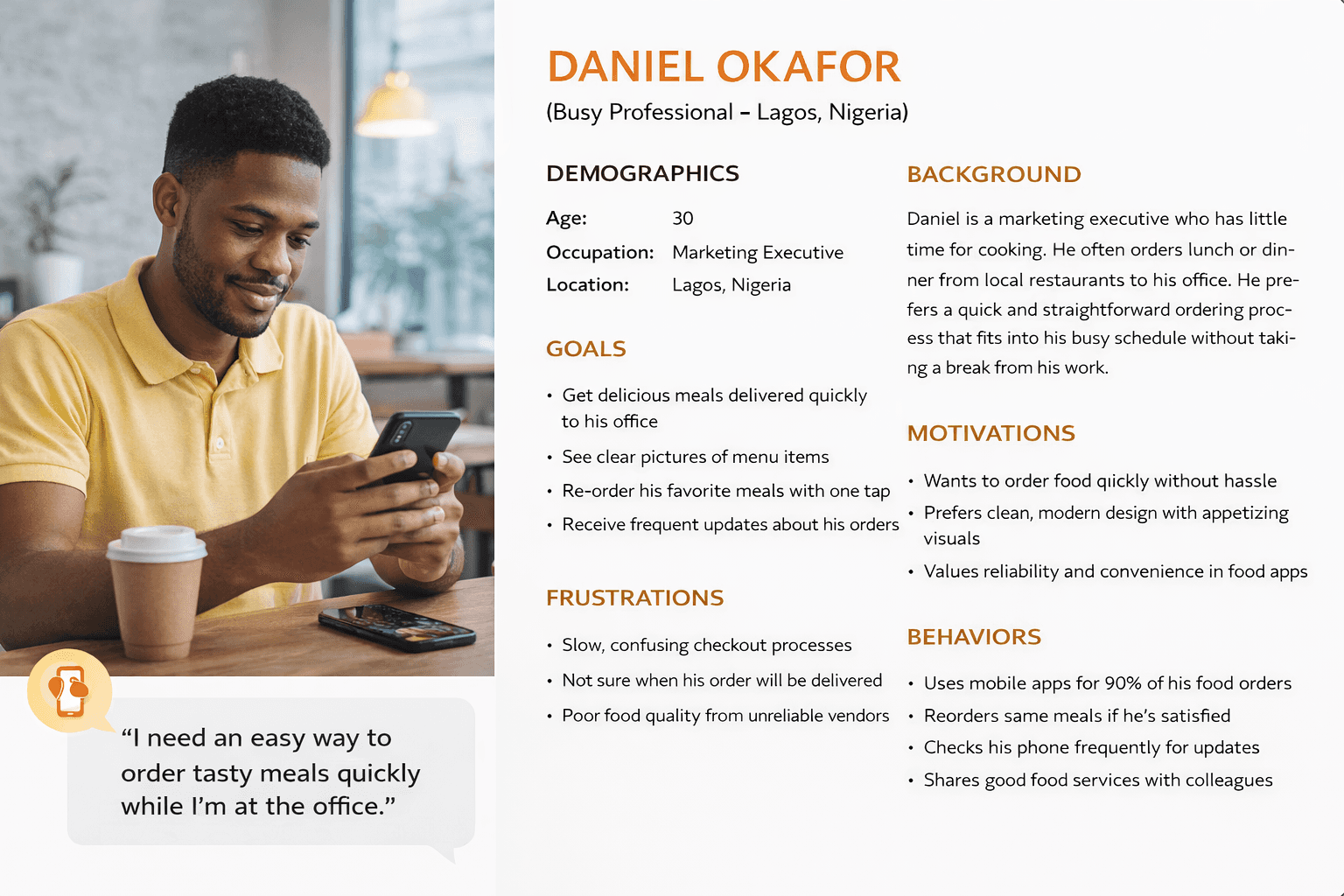
Research & Insights
From analyzing similar food ordering platforms and user behaviour:
• Users prefer fewer steps when ordering
• Clear food images influence decisions
• Complicated checkout flows cause drop-offs
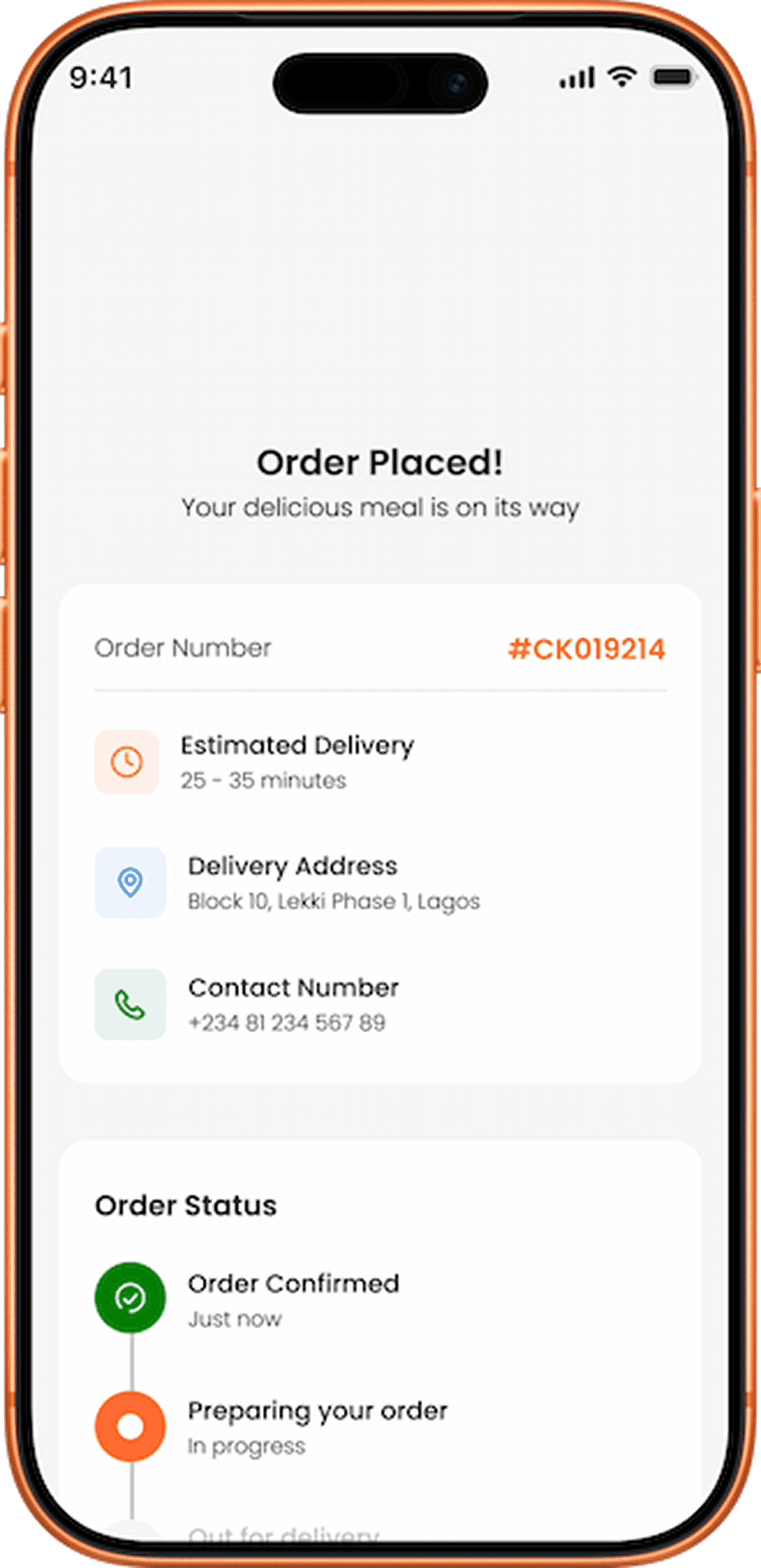
• Users need confirmation and reassurance after payment
These insights guided the design direction.
User Flow
To ensure simplicity, the primary user journey was streamlined:
Home → Browse Menu → View Item → Add to Cart → Checkout → Confirmation
This flow minimizes friction and reduces decision fatigue.

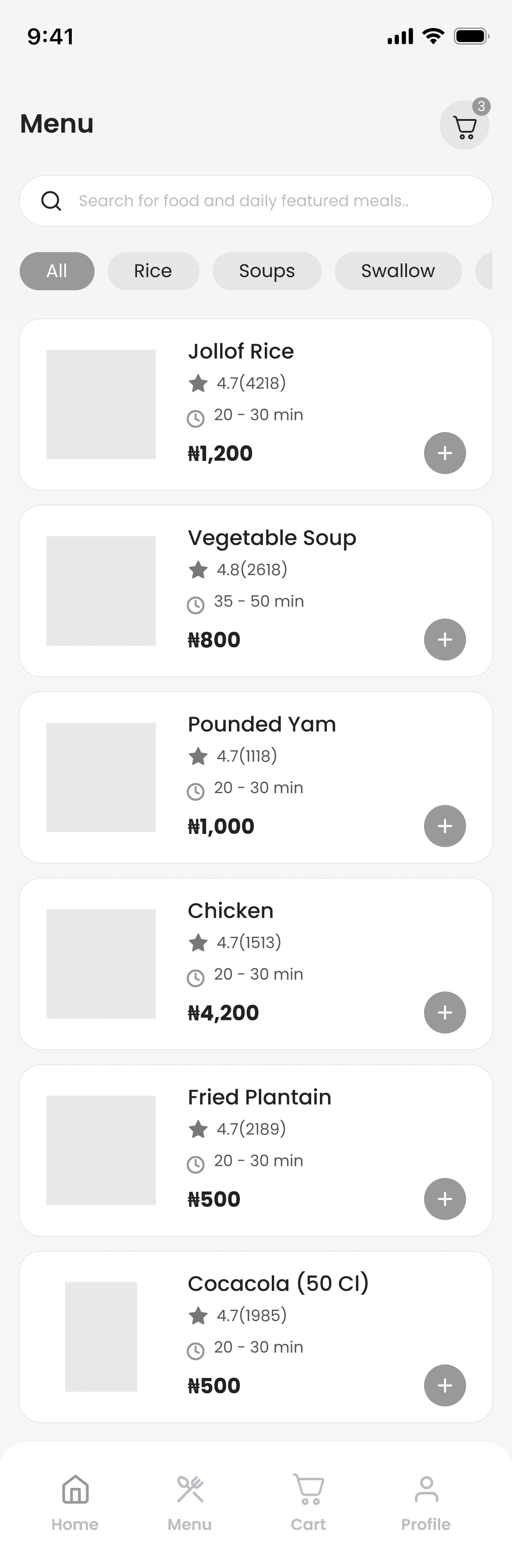
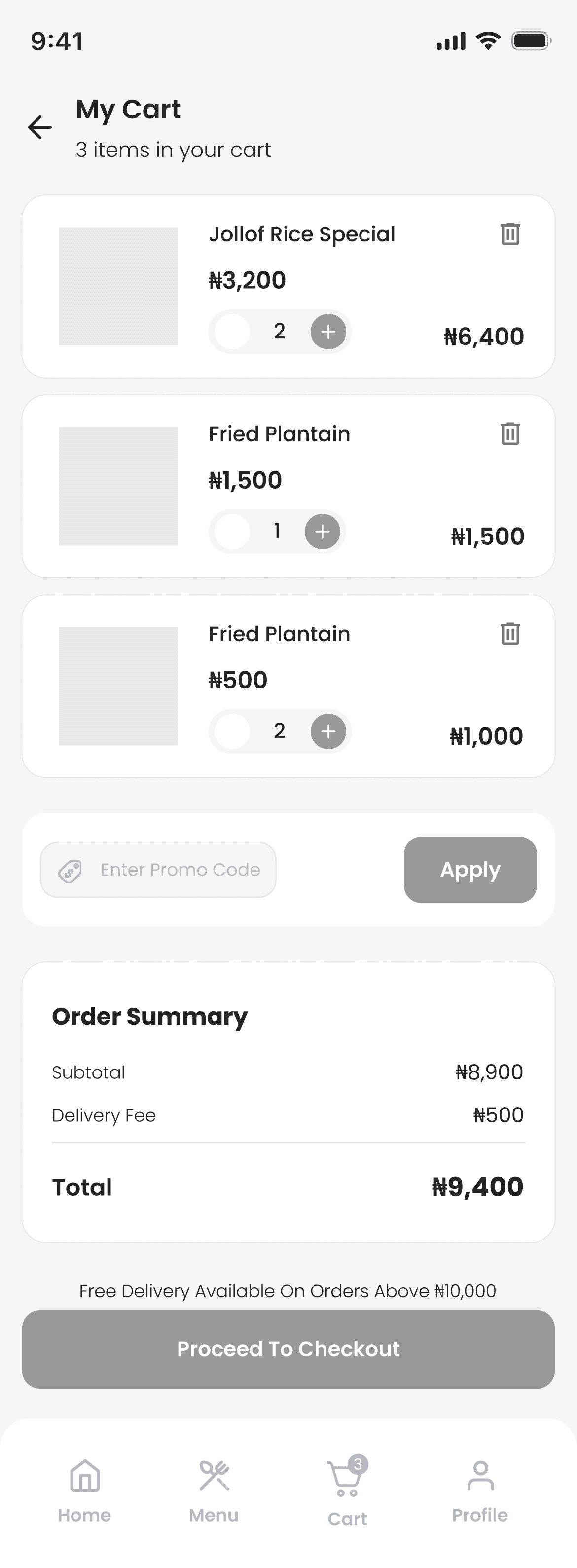
Wireframes
Low-fidelity wireframes were created to explore layout structure, content hierarchy, and navigation patterns before visual styling.
 |  |  |  |
|---|
“Early wireframes in Figma helped map out Chuks Kitchen core flows.”
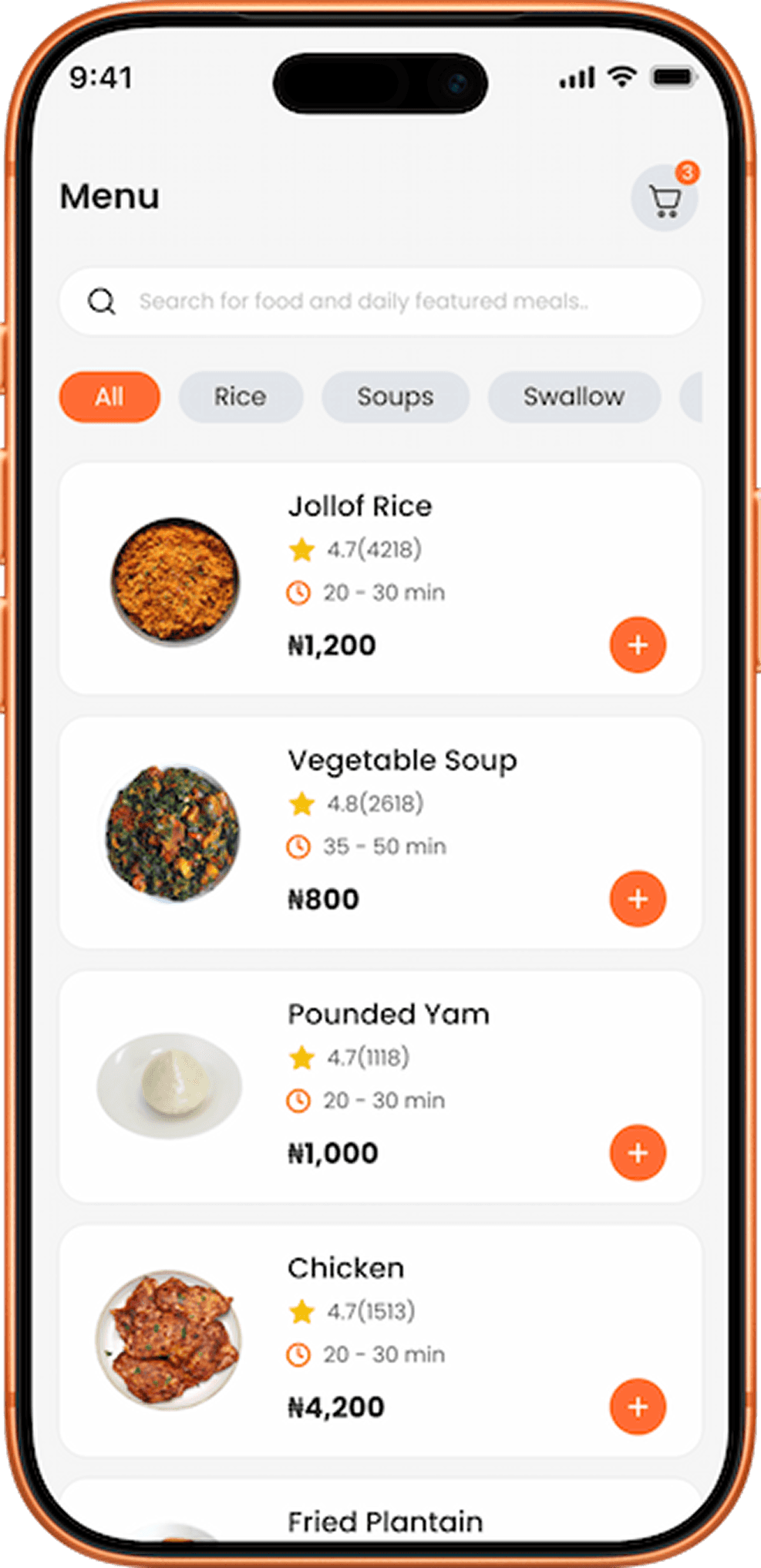
Visual Design
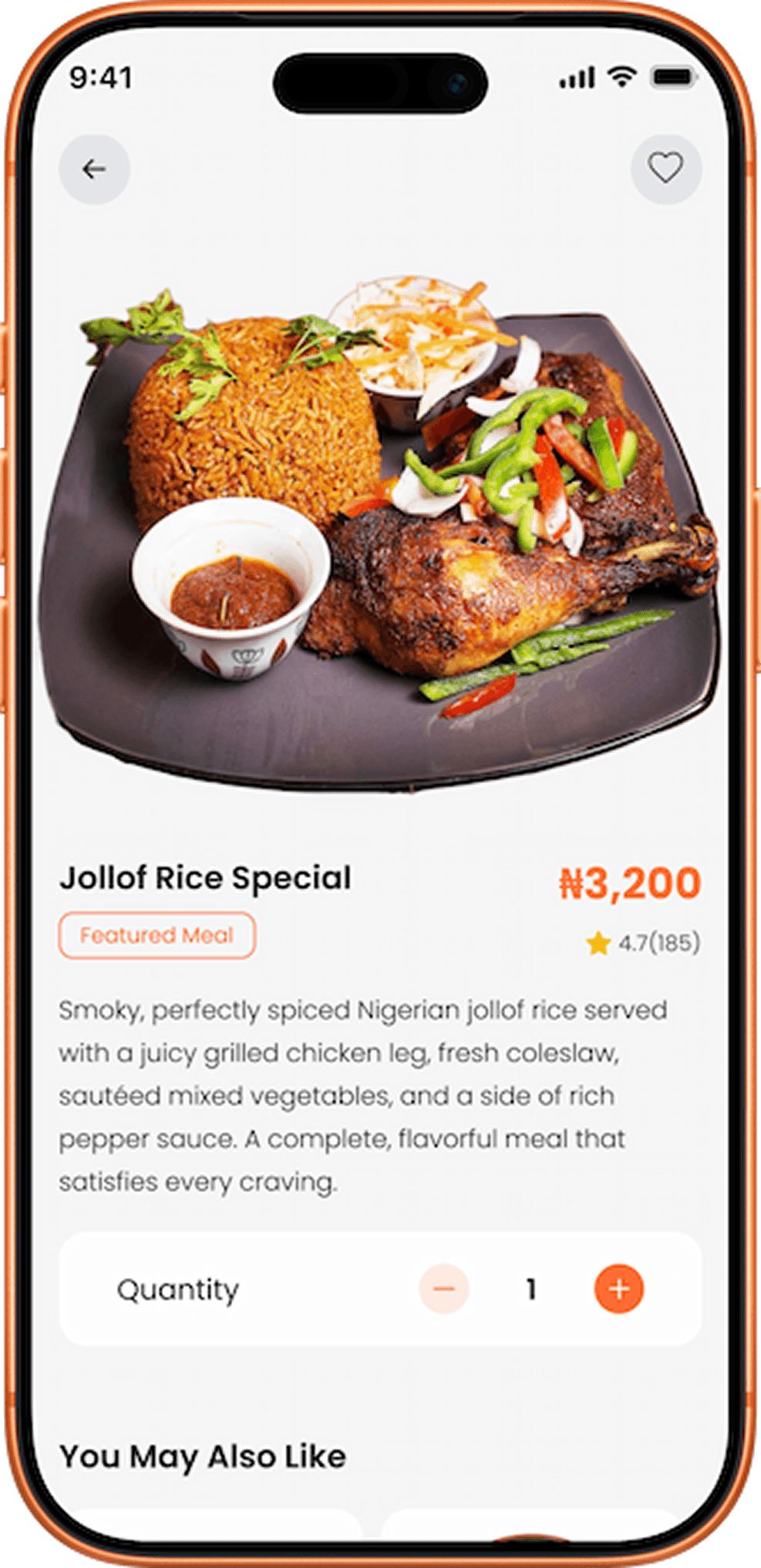
The visual system was designed to reflect a friendly and energetic brand.
Color Palette:
Orange (warmth), Pink (friendly), Blue (trust), White (clean space)
Typography:
Clean, modern fonts for readability.
Design Style:
Minimal, spacious layout with strong food imagery.
 |  |  |  |
|---|---|---|---|
 |  |  |  |
Key Features
Easy Menu Navigation
Users can browse food categories effortlessly.
Detailed Food Pages
Clear images, pricing, and descriptions help decision-making.
Smart Cart System
Users can adjust quantities and remove items easily.
Simple Checkout
Minimal form fields for faster completion.
Order Confirmation
Clear success feedback reassures users.
Challenges
Some product requirements were unclear, including payment integration and onboarding flow.
To solve this, I applied UX best practices and designed flexible solutions that reduce friction.
Solution
The final design delivers a seamless mobile ordering experience that:
✔ Simplifies menu browsing
✔ Speeds up checkout
✔ Reduces ordering errors
✔ Builds customer trust
